Live demo · Drag the slider

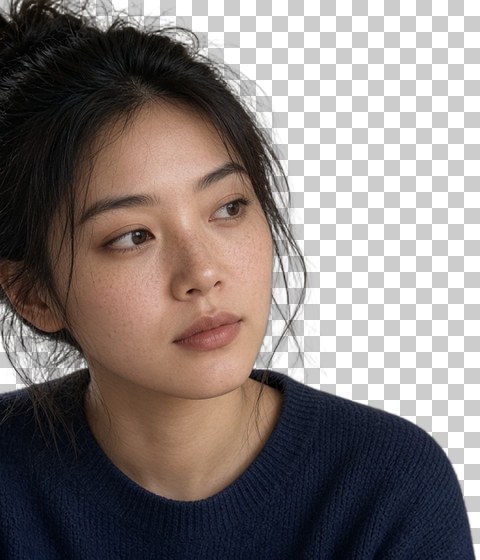
Same engine as your uploads — ONNX in the browser, no server upload for cutouts.
Free · Local in browser · No watermark
Remove backgrounds in batches
Upload multiple product shots or portraits — cutouts run on your device. About 30 images per drop is a comfortable batch; split larger jobs and re-run anytime. JPG, PNG, WebP only — HEIC is not supported.
Drop images here
JPG · PNG · WebP · multi-file OK · ~30/drop suggested · max 25.00 MB each · HEIC not supported
Try a sample
One click queues the image into the same local pipeline.
Tip: select multiple product photos at once — they queue and process one after another. About 30 per drop is a comfortable batch; larger catalogs → split and re-run. ≥2 ready → Download ZIP. HEIC not supported.
Privacy: images are processed with an ONNX model in your browser. We do not upload them to a server for background removal. First visit downloads model assets from the library CDN into your browser cache. No fake review scores or AI-recommendation badges on this page.
How it works
Step 1
Upload a batch
Drop JPG, PNG, or WebP (not HEIC) — one file or many. About 30 per drop is a comfortable batch; split and re-run anytime.
Step 2
Remove in browser
An ONNX model runs locally. First load downloads the model; then cutouts queue one by one.
Step 3
Download
Get a transparent PNG per file, or a ZIP for the whole batch.
Built for bulk cutouts — not a SaaS pitch deck
Use this when you need to remove backgrounds from product photos, headshots, or marketplace listings in one sitting. Everything stays on your device after the model assets are cached. No daily quota, no watermark, and no fake review scores or AI-recommendation badges — just a free local path you can try without signing in. Large catalogs can be split into batches and run again — there is no account run cap.
FAQ
- Do you upload my images?
- No. Background removal runs with an ONNX/WASM model in your browser. Your photos are not uploaded to our servers for processing. The library may download model files from its CDN on first use.
- Is there a daily quota or watermark?
- No daily quota on this free local path, and exports are not watermarked. Output keeps the original resolution. First visit still needs to download the model once.
- Why is the first image slow?
- The first run fetches and caches the model (tens of MB). Later images on the same device are much faster. Progress is shown in the tool UI.
- What format do I get?
- Transparent PNG by default, or optional White BG for marketplace listings. Multi-file batches can download as a ZIP when two or more are ready. Checkerboard preview means transparency.
- How many images can I process at once?
- There is no account-level daily quota or hard “N per run” account cap. For browser memory, about 20–30 images per drop is a comfortable target. Larger jobs: clear the queue, upload the next batch, and re-run — as many times as you need. ZIP download is available when two or more results are ready.
- Do you support HEIC / HEIF (iPhone photos)?
- Not yet. Convert to JPG, PNG, or WebP first (Preview, Photos, or any converter), then upload. The picker accepts JPG, PNG, and WebP only.
- Do I need an account?
- Not for this free path. Sign-in links may exist for future features, but the remover on the homepage does not require login.